 VIVALDI
Desktop browser · Free VPN
Proton VPN for Vivaldi
Route Vivaldi’s web traffic through Proton’s servers.
The desktop integration provides an encrypted browser connection, with a free plan and optional paid features.

Browser VPN features and limits
Use the VPN for web browsing in Vivaldi on Windows, macOS or Linux. Understand what the connection covers before relying on it for a task.
Change the IP address websites see
Connected websites see a Proton server’s IP address instead of your usual address. Signing in to a website can still identify you, and cookies or browser fingerprinting can link visits.
Keep malware protection separate
A VPN connection is not a malware scanner. Keep browser updates and download checks in place; do not assume the free integration detects harmful scripts or makes an unfamiliar website safe.
Understand regional access limits
A different server location can change which regional content a website offers. Access still depends on the service’s policies and VPN detection; the free plan does not let you choose a specific country.
An encrypted browser connection
The browser integration uses HTTPS to encrypt the connection to Proton’s proxy. This differs from the WireGuard or OpenVPN connections used by a full VPN app. Continue using HTTPS websites.
Proton’s no-logs policy
Proton states that its VPN service does not log browsing activity. That policy does not prevent websites from keeping their own records or remove history stored in your browser.
Check real connection performance
Connection speed depends on server load, distance and your network. Try another available server if browsing is slow; a VPN does not guarantee faster downloads or a fixed speed increase.
Set up the desktop integration
Connect from the VPN panel
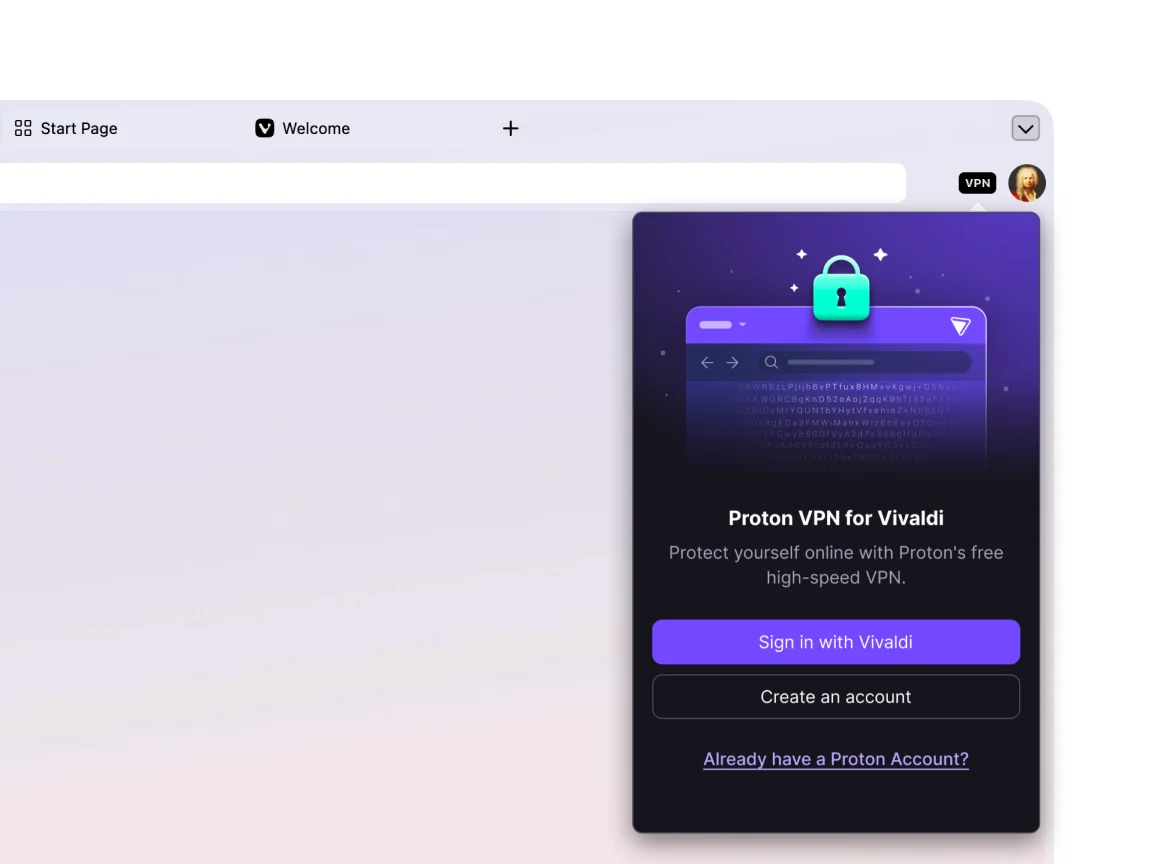
Open the VPN control in Vivaldi to sign in and connect. A separate device-wide VPN app is not required for this browser connection. Check the connection status before browsing.
- Open the VPN panelUse the VPN control on the address bar to begin setup.
- Review the sign-in authorizationSign in with Vivaldi and review the recovery email sharing request.
- Connect and check the statusClick Connect and confirm the panel shows an active connection.
Know who provides the service
Proton AG operates the VPN service from Switzerland. Vivaldi Technologies provides the browser integration; the companies have separate roles and privacy terms.
When signing in through Vivaldi, the first-use authorization asks to share your account’s recovery email address with Proton. Review that request before allowing it.


Use the connection with the task in mind
On a shared Wi-Fi network, the encrypted proxy connection adds protection for traffic between the browser and Proton. It does not make your browsing anonymous to websites you sign in to.
For banking or other sensitive accounts, changing server countries may trigger extra verification. Keep a consistent connection when a service relies on location checks, and follow the service’s access rules.
FAQ
Frequently asked questions
Answers about connection scope, account setup and the differences between free and paid access.
01How does Proton VPN for Vivaldi work?
Vivaldi’s integration is a secure web proxy: it sends browser web traffic through Proton’s servers using an encrypted connection. It does not cover other apps or Vivaldi Mail. Websites can still recognize signed-in accounts and retain records of your visits.
02How do I turn on Proton VPN for Vivaldi?
Click the VPN button, choose Sign in with Vivaldi and complete the account authorization. Then reopen the VPN panel and click Connect. Check that the panel reports a connected state. If the control is disabled, check Settings > Privacy and Security > Proton VPN.
03Is Proton VPN for Vivaldi free?
Yes. Proton offers a free plan without ads or a data allowance. Server selection is limited: you cannot choose a specific location, and repeated server changes have a waiting period. A paid plan adds location selection and other features; check the plan details before subscribing.
04Is Proton VPN for Vivaldi secure?
It encrypts browser traffic between Vivaldi and Proton’s proxy using HTTPS. It does not provide device-wide coverage or protection from every online threat. Auto Connect can take a few seconds after startup, so check the status before opening a sensitive page.
05Can I use it on my phone?
The integration described here is for Vivaldi on desktop. For a phone, use a compatible VPN app and follow its device setup instructions; do not assume that signing into Vivaldi on mobile enables the desktop VPN feature.
06How is the free service funded?
Proton’s paid subscriptions support its free service. Upgrading through the Vivaldi partnership also supports Vivaldi. Paid plans offer additional choices and features, but a subscription does not guarantee access to every website or streaming service.
07Does it protect every app on my device?
No. The integrated proxy covers Vivaldi’s web traffic, not Vivaldi Mail, other browsers, messaging apps or system updates. Use a compatible full VPN app if you need wider device coverage, and check that app’s connection and exclusions.
Try Proton VPN
in Vivaldi for desktop
Download Vivaldi for desktop, review the account authorization and connect from the VPN panel. The free plan is available without a paid subscription.
Download Vivaldi